Features How it Works Preview FAQ Contact Download Free
macOS · Offline · Private

Lekhanam.
Your story lives here.
Only here.

Lekhanam is a complete book writing studio for macOS — with local AI, offline dictation, deep character tools, and print-ready export. No cloud. No subscriptions. No one reading your drafts.

Free download macOS 13+ required Apple Silicon & Intel

Dashboard Characters Storyboard Cover Design Content Snapshots
Write Plan Notes Summary
B I U H1 H2 1,842 words · Saved AI

The rain had been falling since before dawn, and by the time Miriam reached the house on Aldgate Lane the gutters were running fast with dark water, carrying leaves and cigarette ends toward the storm drain at the corner.

She stood on the pavement and looked up at the Georgian facade — four floors of blackened London brick, the windows dark except for a single light on the second storey, amber-coloured and still.

AI Writing
RAM
8.2 GB free
Assist Ghostwriter Interview
Sensory Boost
The rain tasted of iron and cold stone. Each drop struck the back of her neck like a reproach, soaking through her collar before she had time to pull it up.
Ghostwriter writing…
No cloud storage
No subscription required
AI runs entirely on-device
Works fully offline

Every tool in one place.
Nothing you don't need.

Lekhanam replaces a dozen writing apps with one coherent studio — built for the entire journey from first idea to print-ready manuscript.

AI Writing
Three AI Tools, One Side Panel
Every AI feature lives in a single panel that slides open beside your writing. Assist edits your selected text on the spot, Ghostwriter turns bullet beats into polished prose, and Interview lets you have a live conversation with your own character — all running locally, no internet required.
Local · No API key Qwen 2.5 · Apple Intelligence
Assist — expand, shorten, or enrich selected text
Ghostwriter — beats → vivid prose, split-screen
Interview — chat with your character in their voice
Magic Wand Assist
Select any text and instantly Expand, Shorten, or add Sensory Boost from a floating menu — AI suggestions appear in a side panel for you to accept or discard.
Character Interview Mode
Have a multi-turn conversation with your own character. The AI responds using their voice profile, Ghost wound, and Lie — staying in character to help you discover authentic dialogue.
Ghostwriter Mode
Enter bullet-point story beats and watch the AI convert them into polished, vivid prose in a split-screen view — ready to copy to your clipboard and paste into your chapter.
4 Writing Styles
Choose your AI's voice: Cinematic (sharp, visual), Introspective (psychological depth), Minimalist (Hemingway-spare), or Poetic (lyrical and metaphorical). Switchable at any time.
Apple Intelligence
If you're on macOS 26 Tahoe or later, toggle to Apple's on-device model for instant, zero-RAM AI writing assistance — no download needed, completely private.
Writing & Editing
Rich Text Editor
A Palatino-serif writing canvas with full formatting, image support, and auto-save every 3 seconds. Write, Plan, Notes, and Summary sub-tabs keep your chapter organised.
Scene Beat Planner
Plan each chapter with a goal, POV character, and interactive markdown scene beat checklists. Tick off beats as you write them — all auto-saved.
Spell & Grammar Check
Red wavy underlines for spelling errors, amber for grammar — powered by harper.js running locally. No text leaves your Mac for checking.
Chapter Notes
A private scratch pad per chapter for research links, timeline reminders, and rough ideas that don't belong in the main text — always accessible, never exported.
Chapter Summaries
Write a brief synopsis for each chapter. Lekhanam uses it as context when generating prose — so the AI always knows what happened before.
Offline Dictation
Dictate chapters hands-free. Vosk shows real-time partial text as you speak; Whisper.cpp delivers high-accuracy final transcription — both entirely offline.
Characters & Story Structure
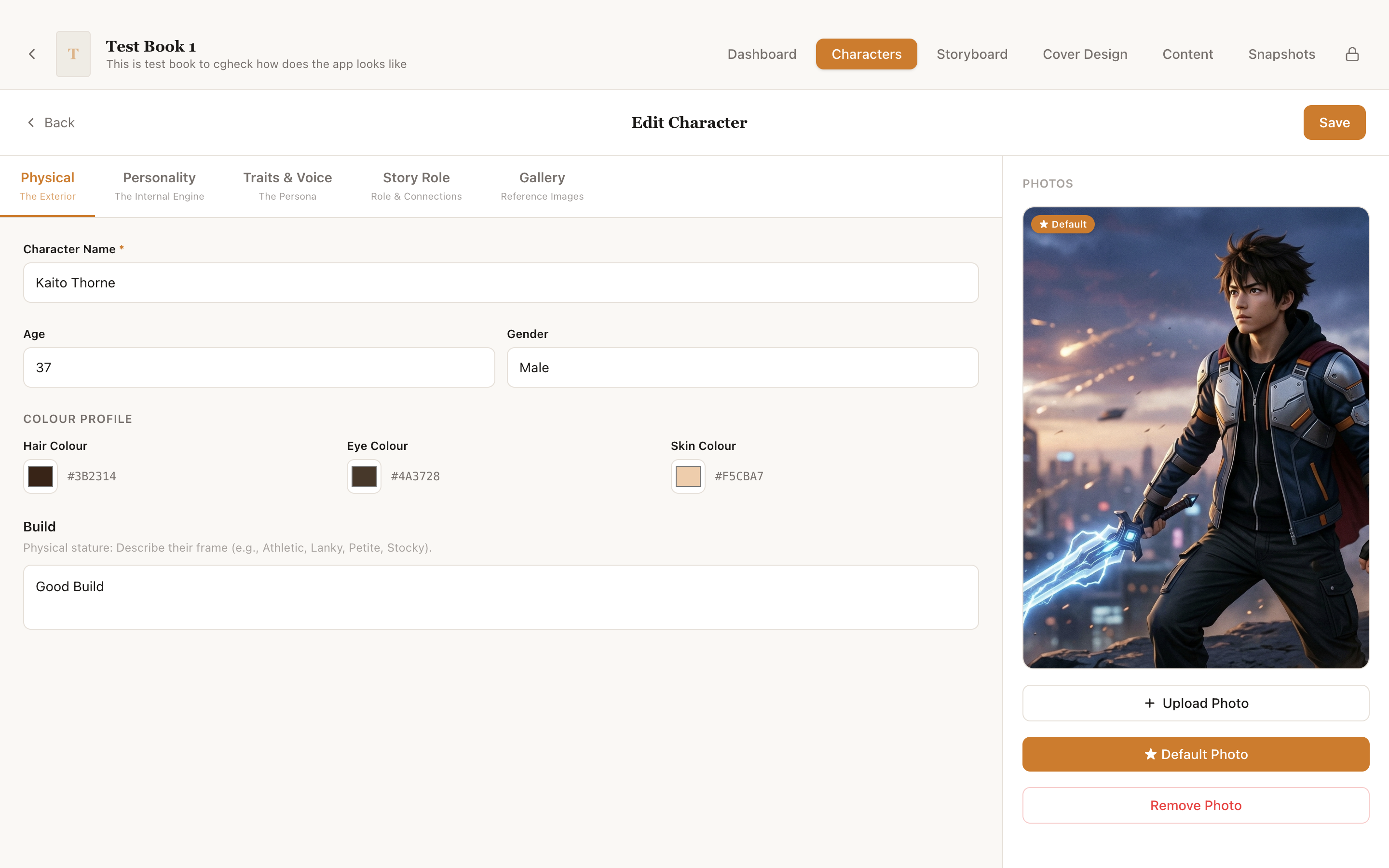
Deep Character Profiles
Five-tab character sheets covering Physical appearance, Personality (Ghost / Lie / Truth), Traits & Voice, Story Role, and a photo Gallery for visual reference.
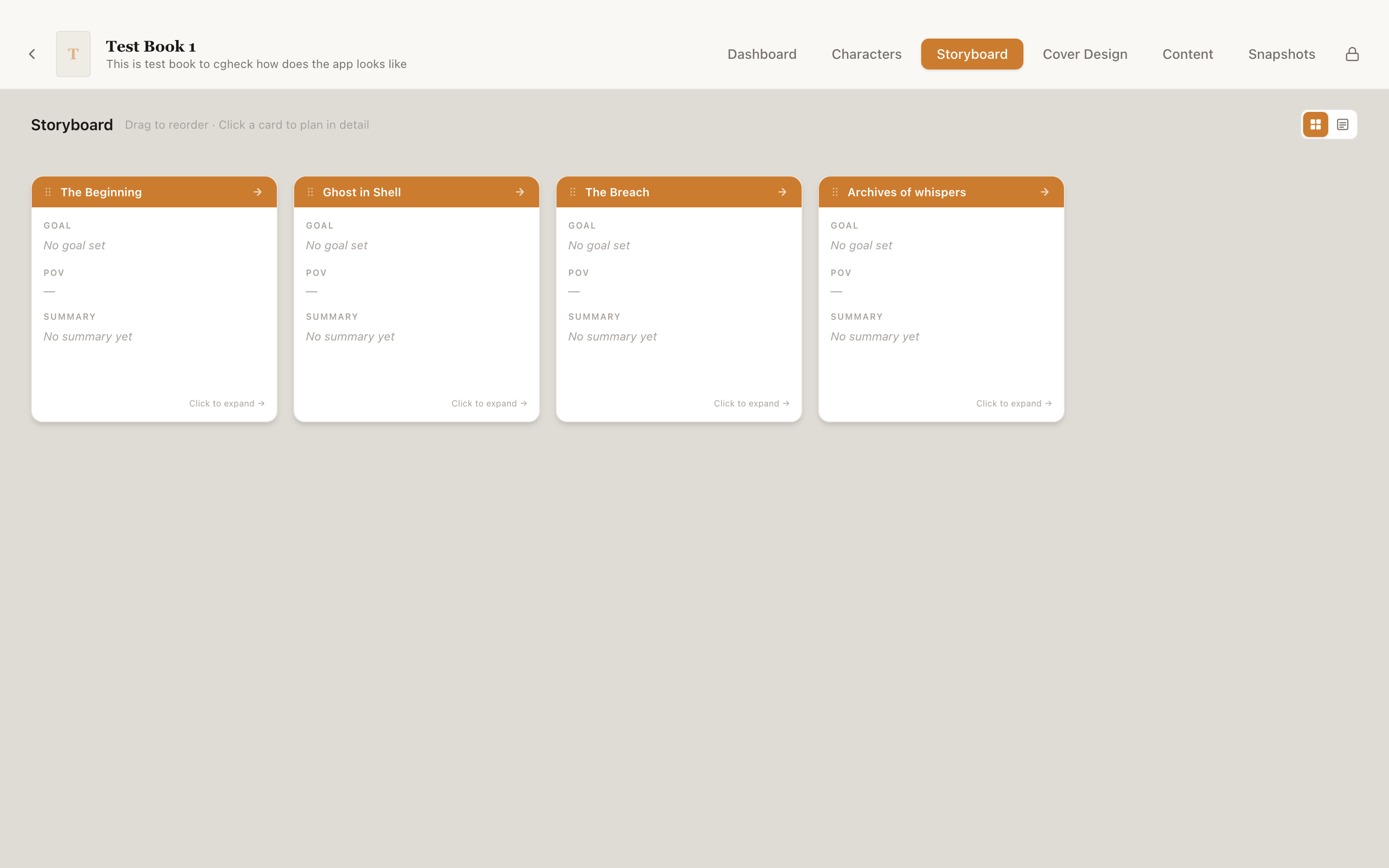
Visual Storyboard
Map your entire narrative on a visual canvas. Drag, rearrange, and annotate scenes before you write a single word — your story architecture at a glance.
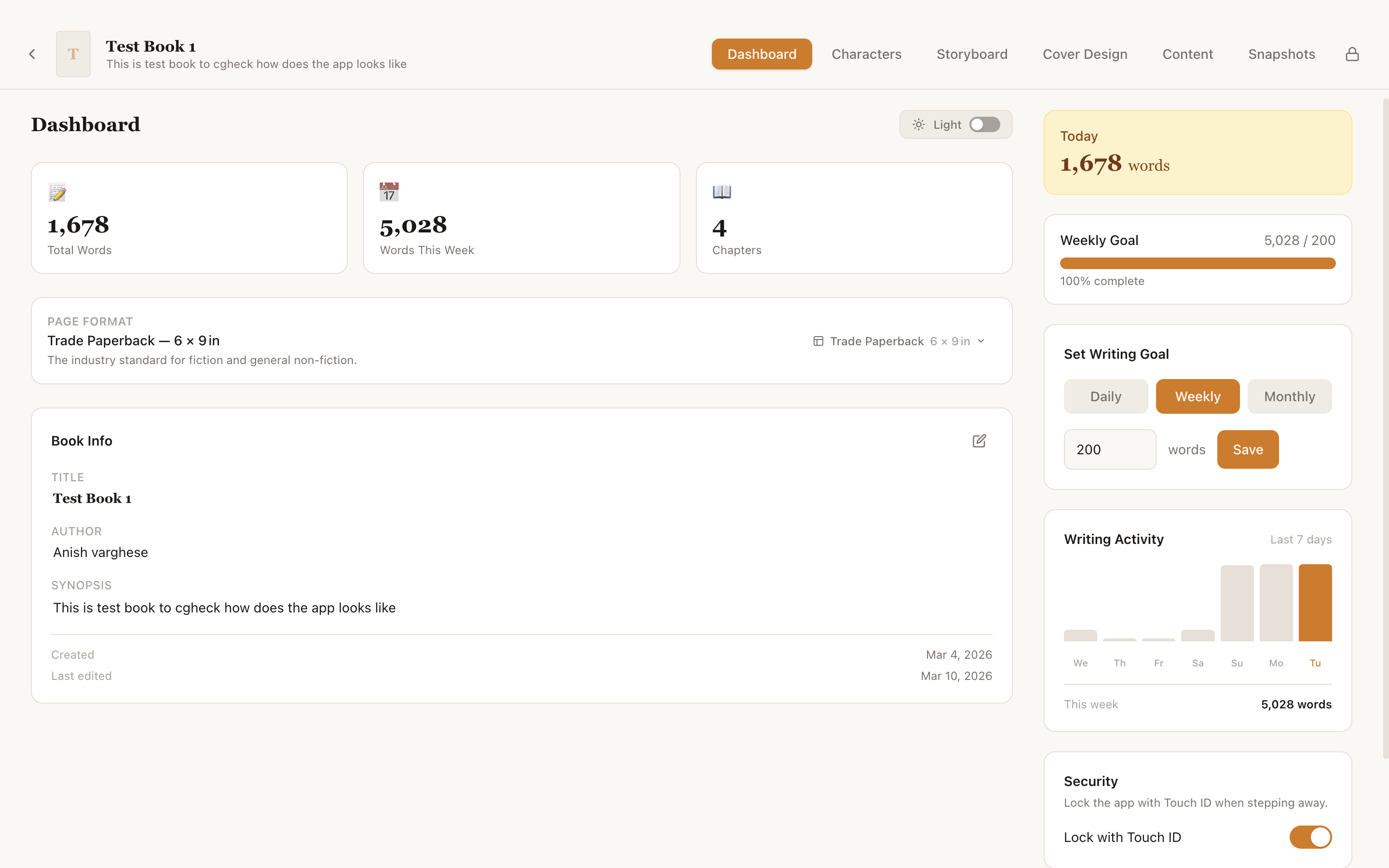
Writing Goals & Stats
Set daily, weekly, or monthly word count goals. The dashboard shows a 7-day bar chart, today's progress, and total stats — so you always know where you stand.
Cover Design, Export & Data
Cover Designer
Design your front and back cover with a Konva canvas — drag text and image layers, apply filters, and export at 300 DPI, print-ready for any publisher.
PDF & DOCX Export
Export your entire manuscript as a print-ready PDF or Word DOCX. Supports page numbers, running headers, front/back matter, and all 8 industry book formats.
Version Snapshots
Save a named snapshot of your entire book at any point. Browse old versions in read-only mode, or restore a snapshot with one click — full version history without Git.
Touch ID Lock
Enable biometric app lock on any Mac with Touch ID. Step away from your desk and your draft stays private — unlocks instantly with your fingerprint.
Recycle Bin & Recovery
Deleted books, chapters, and characters go to a trash bin — never lost permanently. Recover anything at any time, with Touch ID confirmation for safety.
8 Book Formats
From Mass Market (4.25×6.87") to Trade Paperback (6×9") to US Letter — set your page format at creation and all exports honour the exact dimensions.

From first idea
to finished book.

Lekhanam follows the natural arc of how authors actually work — planning, drafting, then publishing.

01

Plan

Build rich characters, map your story on the visual storyboard, and outline each chapter with goals, POV, and scene beat checklists.

  • Character profiles (Ghost, Lie, Truth)
  • Visual storyboard canvas
  • Scene beat markdown checklists
  • Chapter goal & POV planner
02

Write

Dictate or type in a distraction-free Palatino editor. Local AI helps you expand, polish, and break through blocks — all offline.

  • Palatino serif editor with auto-save
  • Offline dictation (Vosk + Whisper)
  • AI assist, ghostwriter, interview
  • Spell & grammar check
03

Publish

Design a print-ready cover at 300 DPI, preview your full layout page by page, then export as PDF or DOCX in any industry book format.

  • Cover designer (text + image layers)
  • Print preview with page thumbnails
  • PDF & DOCX export
  • 8 industry page formats

See it in action.

A warm, editorial interface designed to keep your writing front and centre — never the software.
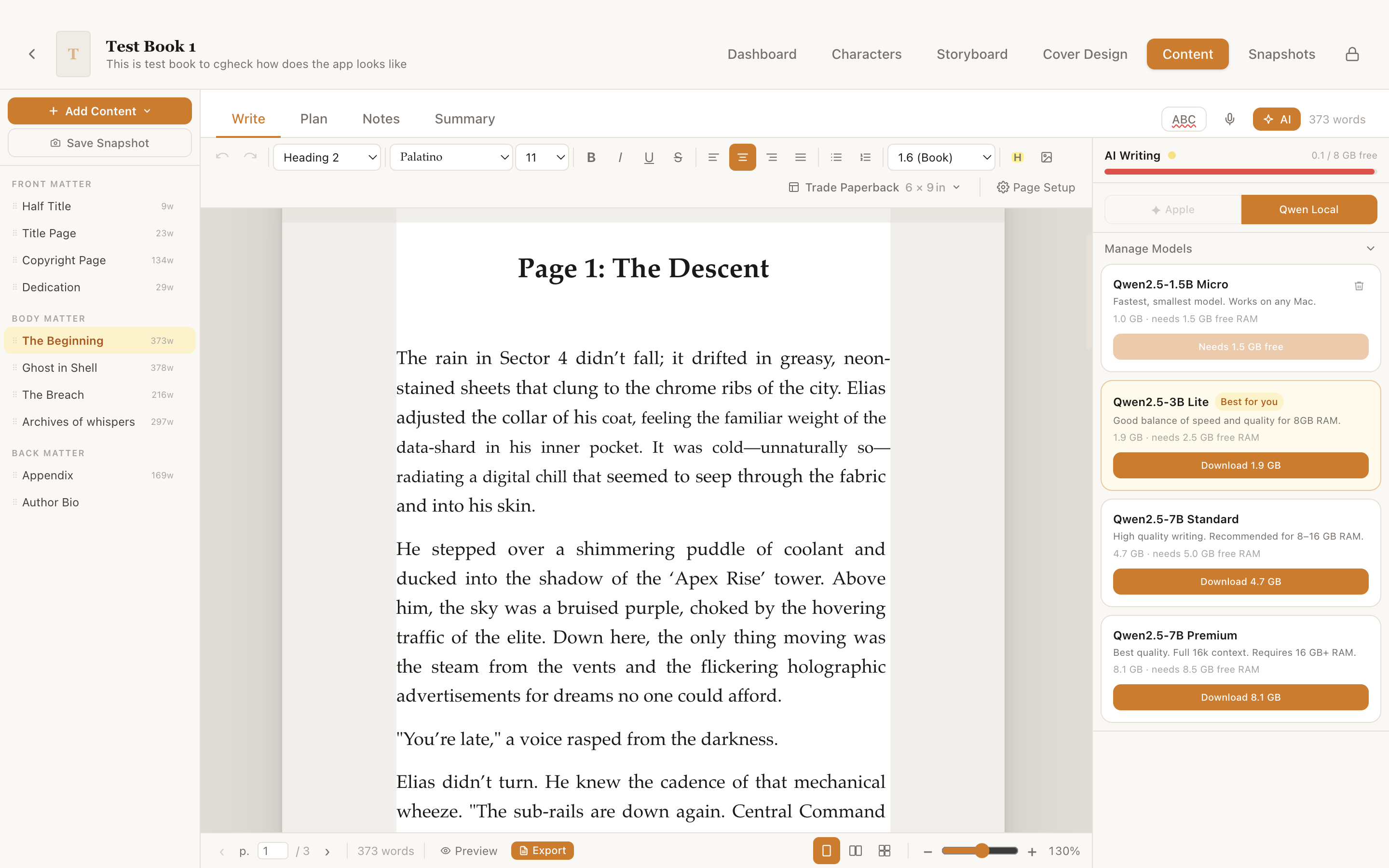
Chapter Editor — Chapter 1
Lekhanam chapter editor showing rich text writing canvas with AI side panel open on macOS
Early Access

Be among the first writers.

Lekhanam is in early access — try it free, shape what it becomes,
and leave a review when you're ready.

Try it free
Download and start writing your first chapter today. No account, no subscription — just your words on your Mac.
Share your feedback
Found a bug or have a feature idea? We read every message. Your feedback directly shapes the next update.
Leave a review
Enjoying Lekhanam? An honest App Store review helps other writers discover it and keeps the app growing.

macOS 13 Ventura or later  ·  Free during early access
Lekhanam

Start your book today.

Download Lekhanam free and write your first chapter in minutes.
Your story belongs on your Mac, not in someone else's server.

Download for macOS — Free

macOS 13 Ventura or later · Apple Silicon & Intel · ~353 MB download